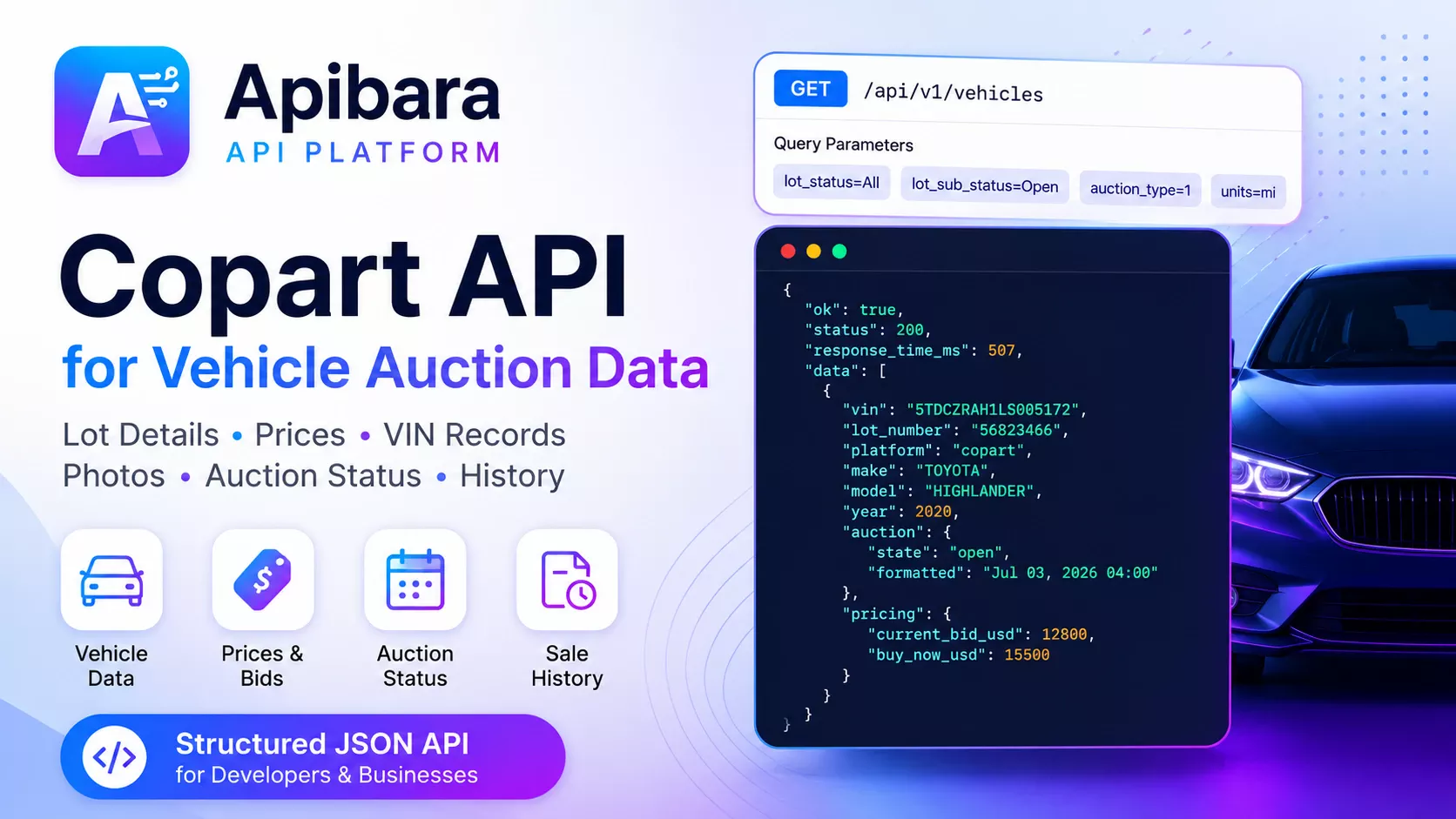
Copart API developer guide
Copart API for Vehicle Auction Data: VIN, Lot Details, Photos, Prices and History
A Copart API lets developers retrieve Copart vehicle auction data programmatically instead of manually copying listings or maintaining a custom Copart scraper. Applications can use structured JSON to search auction inventory, open one vehicle by VIN or lot number, display photos and prices, check auction status, retrieve previous records and add location or shipping data.
The Apibara.tech Vehicle Auction Data API provides normalized Copart and IAAI auction records through one integration. It is designed for automotive marketplaces, dealer and broker dashboards, VIN lookup products, vehicle export services, auction monitoring tools and internal data pipelines.
/api/v1/vehicle-auctionX-API-Keyplatform=copartWhat Is a Copart API?
A Copart API is a software interface for requesting vehicle auction information in a machine-readable format. A backend service sends an HTTP request and receives fields such as the VIN, lot number, year, make, model, damage, odometer, sale document, auction date, current bid, Buy Now price, location and vehicle images when those fields are available.
Apibara.tech is an independent vehicle auction data provider and is not an official Copart partner or Copart-owned service. Source availability can change, and individual lots may contain different fields. Integrations should therefore treat nullable values as normal and avoid assuming that every record has a price, complete VIN, video or sale history.
Search endpoint
How to Search Copart Auction Inventory
Use GET /vehicles to retrieve Copart auction listings. Add platform=copart so the request returns Copart records rather than mixed inventory. Other supported filters can narrow results by make, model, year, VIN, lot number, status or location.
export APIBARA_API_KEY="YOUR_API_KEY"

curl --request GET \
  --url "https://apibara.tech/api/v1/vehicle-auction/vehicles?platform=copart&make=toyota&model=camry&year_from=2020&year_to=2026&lot_status=All&per_page=12" \
  --header "Accept: application/json" \
--header "X-API-Key: ${APIBARA_API_KEY}"| Filter | Purpose | Example |
|---|---|---|
| platform | Select the auction data source. | copart |
| make / model | Build vehicle search and marketplace filters. | toyota / camry |
| year_from / year_to | Restrict inventory to a model-year range. | 2020 / 2026 |
| vin / lot number | Locate records by a known identifier. | 17-character VIN or lot number |
| lot_status | Filter records by supported auction state. | All |
| per_page | Control the requested result-page size. | 12 |
Single vehicle endpoint
How to Get One Copart Lot by VIN or Lot Number
When a user opens a lot page or searches for a known vehicle, use GET /vehicles/{slugVin}. The path accepts a VIN, lot number, slug or another supported vehicle identifier.
This endpoint is more appropriate for a detail page than downloading a broad list and filtering it inside your application. It can return the normalized record required for a vehicle page, CRM entry, saved lot or VIN research workflow.
curl --request GET \
  --url "https://apibara.tech/api/v1/vehicle-auction/vehicles/5TDCZRAH1LS005172" \
  --header "Accept: application/json" \
  --header "X-API-Key: ${APIBARA_API_KEY}"
Copart Lot Details Available in JSON
The exact response depends on the source record. The following groups describe the fields commonly required by auction search pages, lot detail pages and automotive data systems.
| Data group | Example fields | Typical use |
|---|---|---|
| Vehicle identity | VIN, lot number, title, year, make, model | Search, matching and vehicle pages |
| Auction | State, auction date, countdown, timed and Buy Now flags | Status labels and monitoring |
| Pricing | Current bid, Buy Now and previous sold price when available | Pricing widgets and analytics |
| Condition | Primary damage, secondary damage, keys, loss and run condition | Vehicle evaluation and filters |
| Odometer and specs | Mileage, engine, transmission, fuel, drive type, color and body style | Specifications and comparison |
| Sale document | Document name, group, pending and supported export indicators | Compliance and buyer information |
| Location | Auction yard, state and supported shipping origin data | Location filters and logistics |
| Media | Thumbnail and large-image URLs, image count, video and 360 flags | Galleries and listing cards |
Response example
Example Copart Auction Data Response
A normalized record lets an application use the same field hierarchy across listing cards, vehicle pages and backend workflows. The example is shortened for readability; production responses may include additional fields or null values.
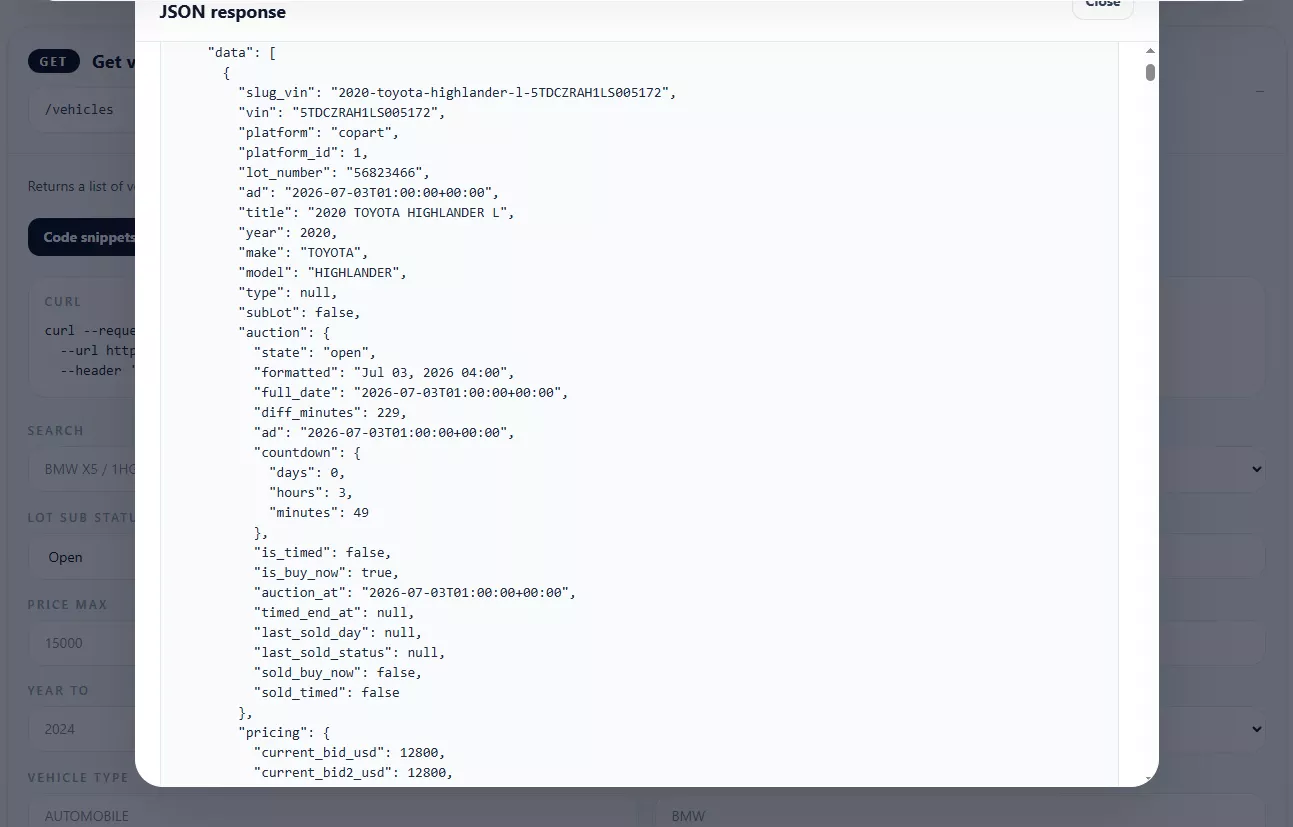
{
  "platform": "copart",
  "lot_number": "56823466",
  "vin": "5TDCZRAH1LS005172",
  "year": 2020,
  "make": "TOYOTA",
  "model": "HIGHLANDER",
  "auction": {
    "state": "open",
    "auction_at": "2026-07-03T13:00:00Z",
    "is_buy_now": true
  },
  "pricing": {
    "current_bid_usd": 12800,
    "buy_now_usd": 15500
  },
  "location": {
    "display": "Tampa South (FL)"
  },
  "condition": {
    "primary_damage": "Front end",
    "run_condition": {
      "label": "Runs and drives"
    }
  },
  "media": {
    "thumbs_count": 14,
    "has_video": false,
    "has_360": false
  }
}
Copart Auction History and Related Vehicles
A current listing does not always tell the complete auction story. When previous records are available, the history endpoint can help identify earlier listings, auction outcomes or pricing associated with the vehicle. Related inventory can support recommendation widgets and comparisons.
Get auction history
GET /vehicles/{slugVin}/history
Use previous supported auction records for VIN research, relisting detection, historical pricing and vehicle history pages. Absence of a record does not prove that a vehicle was never listed or sold.
Find related vehicles
GET /vehicles/{slugVin}/related
Use related or similar auction records for marketplace recommendations, comparable-vehicle analysis and alternative inventory suggestions.
For a deeper explanation of historical records, see the VIN Auction History API guide.
Copart Photos, Locations and Shipping Data
Vehicle images help buyers inspect visible damage, while auction location and shipping data support export and logistics workflows. These fields should be loaded only when needed and handled as source-dependent data.
Vehicle media
Use supported thumbnail and large-image URLs to build galleries and listing cards. Check counts and URLs instead of assuming every lot has the same number of photos.
Auction locations
GET /locations
Populate yard and location filters for search interfaces and logistics tools.
Vehicle shipping
GET /vehicles/{slugVin}/shipping
Retrieve supported shipping options or shipping-related information for one vehicle.
Auction to port
GET /shipping/auction-to-port
Estimate supported auction-to-port transport for import and export workflows.
Other Useful Copart API Endpoints
| Endpoint | What it does |
|---|---|
GET /vehicles/filters |
Returns supported values for vehicle search forms, marketplace filters and dashboard controls. |
GET /vehicles/urltodetails |
Resolves a supported Copart or IAAI auction URL into structured vehicle details. |
Use the live Vehicle Auction API endpoint reference as the source of truth for current paths, parameters and examples.
Copart API vs a Custom Copart Scraper
A custom Copart scraper collects data from web pages or browser requests. It may be useful for a controlled experiment, but production teams must maintain selectors, browser sessions, proxies, retries, normalization and monitoring. A vehicle auction API gives the application a documented HTTP interface and predictable JSON structure.
| Requirement | Structured API | Custom scraper |
|---|---|---|
| Response format | Documented JSON fields | Team-defined parser output |
| Website changes | Handled behind the API layer | May require selector or request updates |
| Normalization | Provided by the API response | Built and maintained internally |
| Integration time | Start with HTTP requests and documented endpoints | Build collection, parsing, retry and storage logic |
| Control | Limited to supported fields and service terms | More implementation control, with more maintenance |
Read the detailed Copart and IAAI parser comparison before deciding which approach fits your application.
Common Integration Errors and Security Rules
401 Unauthorized
The API key is missing or invalid. Send it in the X-API-Key request header.
422 Validation error
One or more request parameters are invalid, such as an incorrectly formatted VIN.
429 Rate limit
The request limit was exceeded. Apply backoff and retry according to the service response and plan limits.
Security requirement: keep the API key on a trusted backend, server route or MCP server. Never place it in browser JavaScript, a public repository, screenshots, mobile app bundles or client-visible logs.
Products You Can Build with Copart Auction Data
Automotive marketplaces
Searchable inventory, vehicle pages, filters, galleries, pricing and similar-lot recommendations.
Dealer and broker dashboards
Saved vehicles, auction monitoring, CRM records and vehicle sourcing workflows.
VIN research tools
Supported auction records, damage, odometer, sale status and historical pricing.
Vehicle export platforms
Auction location, shipping estimates, translated inventory and customer quotations.
Price analytics
Comparable records and available pricing grouped by vehicle, damage, location or condition.
Auction alerts
Backend monitoring for supported changes in bids, dates, lot states and availability.
See more implementation patterns in Vehicle Auction Data API Use Cases.
Frequently asked questions
Copart API FAQ
Does Copart have an API?
Developers searching for a Copart API usually need programmatic access to lots, VINs, prices, photos and auction status. Apibara.tech provides an independent vehicle auction data API for supported Copart records; it is not an official Copart API or Copart partner.
How can I get Copart lot details with an API?
Send a protected GET request to /vehicles/{slugVin} using the VIN, lot number, slug or another supported identifier. Include your API key in the X-API-Key header.
Can I search Copart vehicles by VIN or lot number?
Yes. The search endpoint supports VIN and lot-number filtering, and the single-vehicle endpoint accepts supported vehicle identifiers. Availability depends on the underlying record.
Can the API return Copart photos?
Supported vehicle records can include image counts, thumbnail URLs, large-image URLs and flags for video or 360 media. Not every lot contains the same media assets.
Does the API include current bids and Buy Now prices?
Pricing fields can include current bid, Buy Now and previous sold price when those values are available. Auction information can change, so applications should display the response timestamp and refresh data according to their workflow.
Can I retrieve Copart auction history?
Use /vehicles/{slugVin}/history to request supported previous auction records. The API cannot guarantee a complete history for every VIN, and no result should not be interpreted as proof that the vehicle has never appeared at auction.
Can I use one integration for Copart and IAAI?
Yes. Apibara.tech normalizes supported Copart and IAAI records behind one Vehicle Auction Data API. Use the platform filter to select a source.
Can an AI agent use the API?
Yes. Developer tools and AI agents can use the OpenAPI schema and machine-readable documentation to generate server-side requests. API keys must remain secret, and agents should not invent undocumented filters or response fields.
Start with a real response
Test the Copart Vehicle Auction API
Explore a demo response, review the endpoint map and use the documentation to connect Copart lot data to a secure backend application.